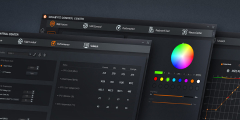

AORUS FO48U Gaming Monitor
Operating System:
firmware
Update include:
Version: F06
1.88 MB
Sep 07,2022
1. Fixed the flicker issue when activate Aim Stabilizer at 4K 60hz.
Note : It requires connection between PC and monitor with USB cable to run the firmware update tool.
Note : It requires connection between PC and monitor with USB cable to run the firmware update tool.
utility
GIGABYTE Control Center Full Installation Package
Version: 26.09.10.01
860.72 MB
Sep 10,2026
Detail version :
Cooler_26.08.24.01
Keyboard_25.07.25.01
VGA_26.08.24.01
Power_26.08.24.01
Mouse_26.08.24.01
SingleLed_26.08.24.01
MBUpdate_26.07.22.01
MBEasyTune_26.08.06.01
MBStorage_26.09.08.01
RGB_Sync_Control_26.08.31.01
rgbMotherboard_26.08.27.01
Notebook_26.08.28.01
Sidekick_26.08.04.01
GCC Main Program_26.08.28.01
Cooler_26.08.24.01
Keyboard_25.07.25.01
VGA_26.08.24.01
Power_26.08.24.01
Mouse_26.08.24.01
SingleLed_26.08.24.01
MBUpdate_26.07.22.01
MBEasyTune_26.08.06.01
MBStorage_26.09.08.01
RGB_Sync_Control_26.08.31.01
rgbMotherboard_26.08.27.01
Notebook_26.08.28.01
Sidekick_26.08.04.01
GCC Main Program_26.08.28.01
OSD Sidekick
Version: B22.0607.1
70.59 MB
Jun 24,2022
Note : To enable OSD Sidekick, it requires connection between PC and monitor with USB cable.