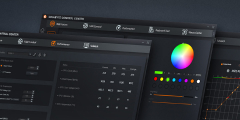

M28U Gaming Monitor
Operating System:
Monitor
GIGABYTE M28U WHQL Drivers for HDR certified information
Version:
0.21 MB
Aug 12,2022
firmware
Update include:
Version: F11
0.65 MB
Feb 27,2025
1. Fixed the issue where Type-C continued charging after the screen was turned off.
2.Fixed the issue where some options were displayed incorrectly in Russian.
3.Fixed the issue where certain graphics cards experienced occasional screen flickering when HDR was enabled.
4.Fixed the issue where ghosting appeared when Game Info and Dashboard were opened.
Note : It needs to install OSD sidekick first to update firmware.
Note :
Version: F10
0.65 MB
Jun 20,2022
It needs to install OSD sidekick first to update firmware.
Note :
Version: F08
0.65 MB
Mar 29,2022
It needs to install OSD sidekick first to update firmware.
Update include:
Version: F07
0.65 MB
Sep 17,2021
1. Improve the performance and reduce input lag.
Note : It needs to install OSD sidekick first to update firmware.
Note :
Version: F03
0.64 MB
Jul 22,2021
It needs to install OSD sidekick first to update firmware.
utility
GIGABYTE Control Center Full Installation Package
Version: 26.11.19.01
860.04 MB
Nov 23,2026
Detail version :
Cooler_26.08.24.01
Keyboard_26.10.08.01
VGA_26.11.12.01
Power_26.08.24.01
Mouse_26.10.05.01
SingleLed_26.10.08.01
MBUpdate_26.10.06.01
MBEasyTune_26.10.08.01
MBStorage_26.09.22.01
RGB_Sync_Control_26.10.14.01
rgbMotherboard_26.10.14.01
Notebook_26.08.28.01
Sidekick_26.10.21.01
GCC Main Program_26.10.21.01
OSD Sidekick
Version: B22.0418.1
70.61 MB
Jun 02,2022
Note : To enable OSD Sidekick, it requires connection between PC and monitor with USB cable.